
Bundle & save
Want every operations template? Get the full kit.
The Working Breeder Operations Kit includes this document and 11 more for $22. Lifetime updates included.
Document · Operations
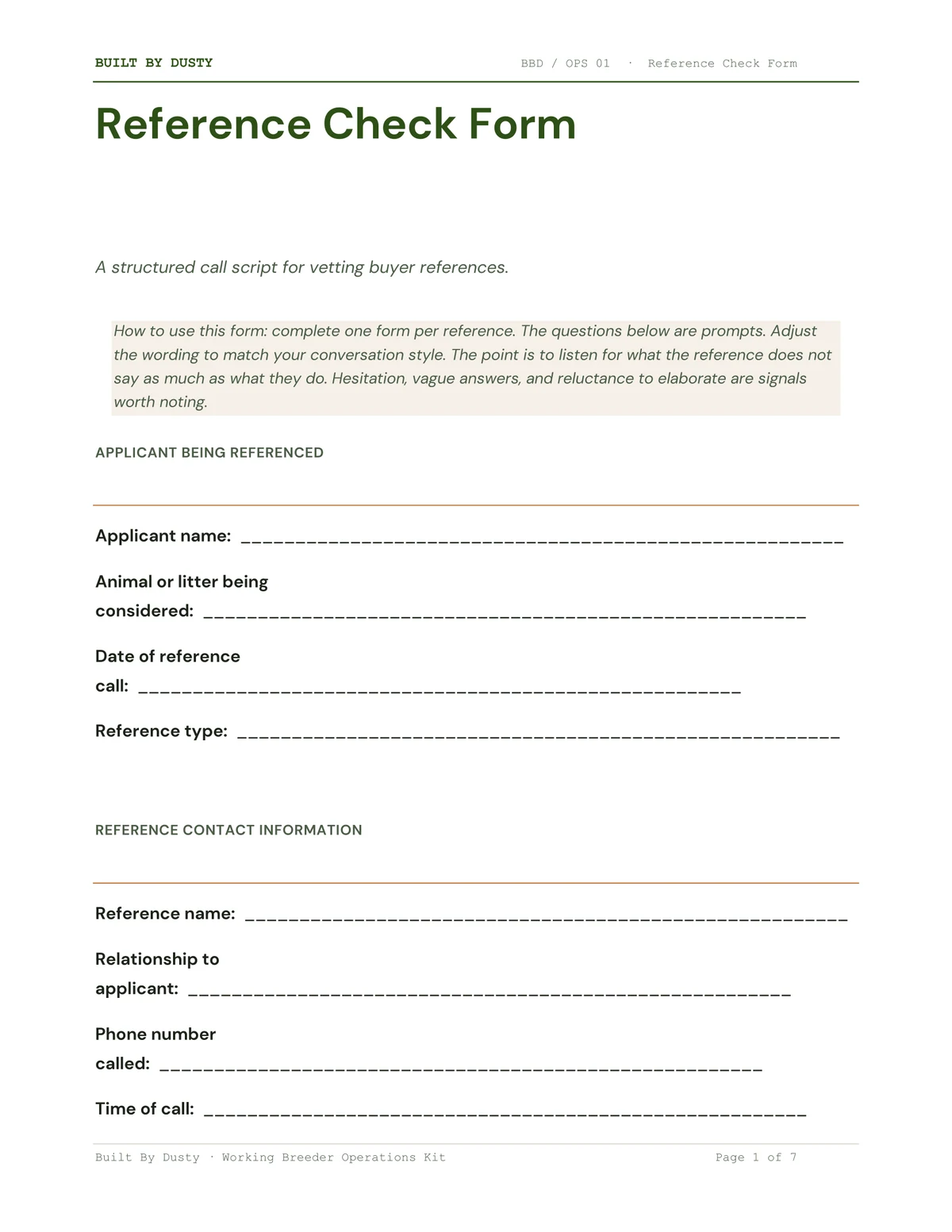
A structured reference check form and call script for vetting buyer references. Covers veterinary, personal, and previous breeder references and is built around what the reference does not say.
About this document
Buyer references are the easiest part of the screening process to skip and one of the most useful when you actually do them. Most breeders feel awkward calling a stranger to ask about another stranger, run out of questions in the first three minutes, and end up with a vague sense of whether the buyer was good without anything specific written down.
The Reference Check Form solves both problems. It's a structured call script with prompts tailored for each type of reference, so you walk into the call knowing exactly what to ask and walk out with a written record of what you learned.
What the document does:
It runs each reference call through the same structure. Applicant identification, reference contact info, branch-specific questions for the type of reference being called (veterinary, personal, or previous breeder), breeder impressions and red flags, and a decision recommendation based on this reference.
The form is built around the principle that what a reference does not say is often more telling than what they do. Hesitation, vague answers, and reluctance to elaborate get noted explicitly so you can revisit them later when you're deciding whether to approve the placement.
What is included:
Format and how it works:
Word version for digital editing and a PDF version for printing. Most breeders print one copy per reference call and fill it in by hand during or right after the call. You can also type into the Word version if you prefer to take notes on a laptop.
The veterinary reference section includes a note about written authorization. Some practices won't discuss patient history without a release from the client, so the applicant should send one before the call if needed.
Why this version is different:
Most reference forms are checklists that a reference could fill out alone. This one assumes the breeder is on the phone, listening, and trusting their gut. The Breeder's Notes section invites you to write down vague gut feelings as data instead of dismissing them. That's the difference between reference calls that catch problems and reference calls that confirm what you already wanted to believe.
Who this is for:
For breeders who already use a buyer application and want to add structured reference calls before approving placements. Pairs with the Buyer Application's reference capture section, which collects the contact information you call from. Especially valuable for breeders who place into multiple homes per year and want consistent screening across every applicant.
Get the form on its own, or open the bundle for the full screening pipeline at the kit price.
What you get
Editable in DOCX + PDF, with lifetime updates when laws or registries change.
Bundle & save
The Working Breeder Operations Kit includes this document and 11 more for $22. Lifetime updates included.
Updates
You bought version 1. When a state adds a registry requirement, a new federal rule lands, or a working breeder catches something that belongs in the document, the new file shows up in your inbox. No upsell, no annual subscription, no "unlock by upgrading." The document is yours, updates included, forever.
Common questions
The contracts were drafted with an attorney and pressure-tested across multiple working programs, but they are templates — not a substitute for a lawyer for your specific state's laws. Each file ships with a clear note about that. Most breeders use them as a starting point and have a local attorney review for state-specific edits.
DOCX + PDF. The DOCX opens in Word, Google Docs, Pages, or LibreOffice. The PDF is fill-on-screen or print-and-fill. Everything is editable.
When I ship a new version of this document, the new file lands in your inbox. Laws shift. A state adds a registry requirement. A working breeder tells me something that belongs in the document. The next version goes out to everyone who bought the previous one. No upsell, no annual subscription.
14-day no-questions-asked refund. If the documentdoesn't fit your operation, you get your money back and I'd genuinely like to hear why so the next version is better.
Yes, by a wide margin if you need more than two or three documents. The Working Breeder Operations Kit bundles this and every other operations document for $22.
Also useful

